
Apertium offline translator1.03 - Get APK
You'll be able to download in few seconds.
Publisher Description
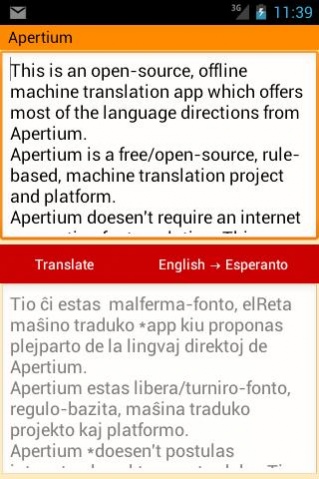
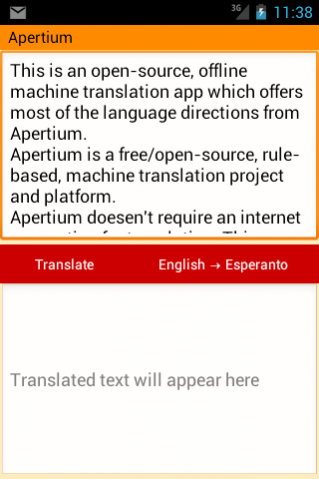
This is a free/open-source, offline machine translation app.
It doesn't require an internet connection to work and you don't need to send confidential text through the Internet to get a translation.
USING THIS APP
You can mark text in e.g. the web browser, long-click and select to "Share" with Apertium to put it into the translator.
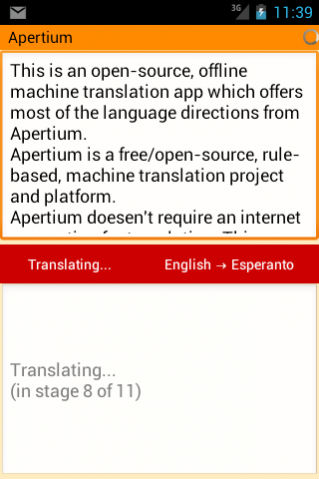
The first translation you do will be probably be slow, on older phones it can take up to a minute.
The subsequent translations will be faster.
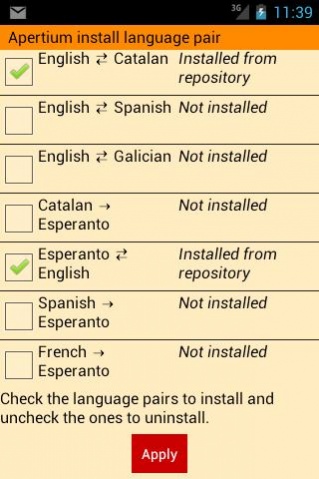
On smaller phones you are advised to start out installing just one language pair.
To download language pairs we require internet access.
If you feel unconfident about that, you can switch off data connections while translating, or... you can download the source code and build your own version!
http://apertium.svn.sourceforge.net/viewvc/apertium/trunk/apertium-mobile/apertium-android/
LANGUAGES
Afrikaans ⇆ Dutch
Basque → English
Basque → Spanish
Catalan ⇆ Italian
English ⇆ Catalan
English ⇆ Galician
English ⇆ Spanish
Esperanto ← Catalan
Esperanto ⇆ English
Esperanto ← French
Esperanto ← Spanish
French ⇆ Catalan
French ⇆ Spanish
Haitian → English
Occitan ⇆ Catalan
Occitan ⇆ Spanish
Portuguese ⇆ Catalan
Portuguese ⇆ Galician
Spanish ⇆ Aragonese
Spanish ⇆ Catalan
Spanish ⇆ Galician
Spanish ⇆ Portuguese
Spanish ← Romanian
Swedish → Danish
Want to make your own language pair?
It takes around 3 months of full time work to create a language pair from scratch.
We at Apertium will help you, of course, and if you are a student you could consider engaging in Apertium work being sponsored by the Google Summer of Code free/open-source
program. See http://code.google.com/intl/ca/soc/.
OTHER APERTIUM APPLICATIONS
Apertium can also be installed on your own desktop machine, and is bundled with several GNU/Linux flavors.
If you want to quickly try it out on your desktop machine there are zero-install Java web start applets for most languages. Please see: http://wiki.apertium.org/wiki/Apertium-Caffeine.
AUTHORS AND CONTRIBUTORS
This app would not have been possible without the support of Google Summer of Code (GSoC) stipends.
2012 GSoC student Mikel Artetxe - Making Java port of lttoolbox (dictionary engine) embeddable
2012 GSoC student Arink Verma - Created an Android app using lttoolbox-java
2012 GSoC Jacob Nordfalk - Mentor of Mikel and Arink
Re-engineering of lttoolbox-java for memory-constrained devices
Android app revision autumn 2012
2010 GSoC student Stephen Tigner - Java port of the Apertium C++ library
2009 GSoC student 2009 Raphaël Laurent - Java port of the Apertium C++ library
2008 Nic Cottrell - Initial draft of Java port
2009-2012 Jacob Nordfalk - Maintainer and GSOC mentor
About Apertium offline translator
The company that develops Apertium offline translator is Jacob Nordfalk. The latest version released by its developer is 1.03.
To install Apertium offline translator on your Android device, just click the green Continue To App button above to start the installation process. The app is listed on our website since 2018-05-09 and was downloaded 0 times. We have already checked if the download link is safe, however for your own protection we recommend that you scan the downloaded app with your antivirus. Your antivirus may detect the Apertium offline translator as malware as malware if the download link to org.apertium.android is broken.
How to install Apertium offline translator on your Android device:
- Click on the Continue To App button on our website. This will redirect you to Google Play.
- Once the Apertium offline translator is shown in the Google Play listing of your Android device, you can start its download and installation. Tap on the Install button located below the search bar and to the right of the app icon.
- A pop-up window with the permissions required by Apertium offline translator will be shown. Click on Accept to continue the process.
- Apertium offline translator will be downloaded onto your device, displaying a progress. Once the download completes, the installation will start and you'll get a notification after the installation is finished.
Program Details
System requirements
Download information
Pricing
Version History
version 1.03
posted on 2018-05-09
The internal URL for downloading language pairs has changed. Please update to this version if you want to download new language pairs.
version 1.02
posted on 2016-03-19
Language variants are shown,Bug fixes
version 0.98
posted on 2012-12-29
Several fixes and updates
Disclaimer
External Download
We do not host Apertium offline translator on our servers. We did not scan it for viruses, adware, spyware or other type of malware. This app is hosted by Galad and passed their terms and conditions to be listed there. We recommend caution when installing it.
The APK Download link for Apertium offline translator is provided to you by apps112.com without any warranties, representations or guarantees of any kind, so access it at your own risk.
If you have questions regarding this particular app contact the publisher directly. For questions about the functionalities of apps112.com contact us.
